 Haytham Galal
Product Design
Revamping Dryve's Search
Client
Dryve
Role
Lead Product Designer
Year
2020
Duration
35 days

Overview
Dryve is the Middle East's first peer-to-peer car-sharing platform, enabling vehicle owners to earn income through rentals while providing affordable access for renters. I redesigned the core search flow to reduce friction and increase conversion.
Results after design
26%
Search conversion rate
78%
Filter utilization rate
3.8/5
User satisfaction score
Problem
The existing search flow required multiple steps before users could fully customize their search, causing friction and potential abandonment. Users had to navigate through several screens before reaching the filters and options they needed to make a booking decision.
How Search Works
Understanding the existing search architecture was the first step — mapping out each decision point and friction moment users encountered when trying to find and book a vehicle.
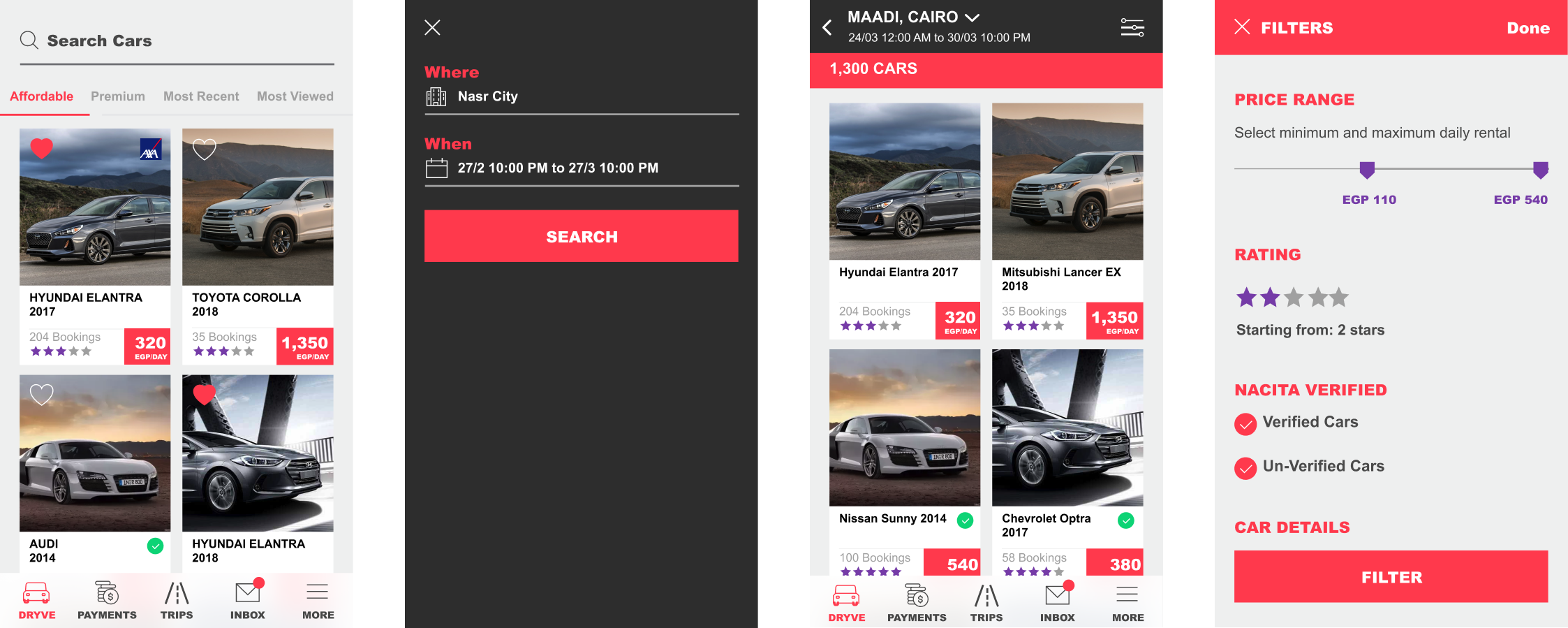
Fig. 1 — Existing search flow diagram
Research
Conducted user interviews with 4 participants and a satisfaction survey with 83 respondents to understand search pain points. Performed competitive analysis across 4 competitors and ran A/B testing on location and time selection approaches.
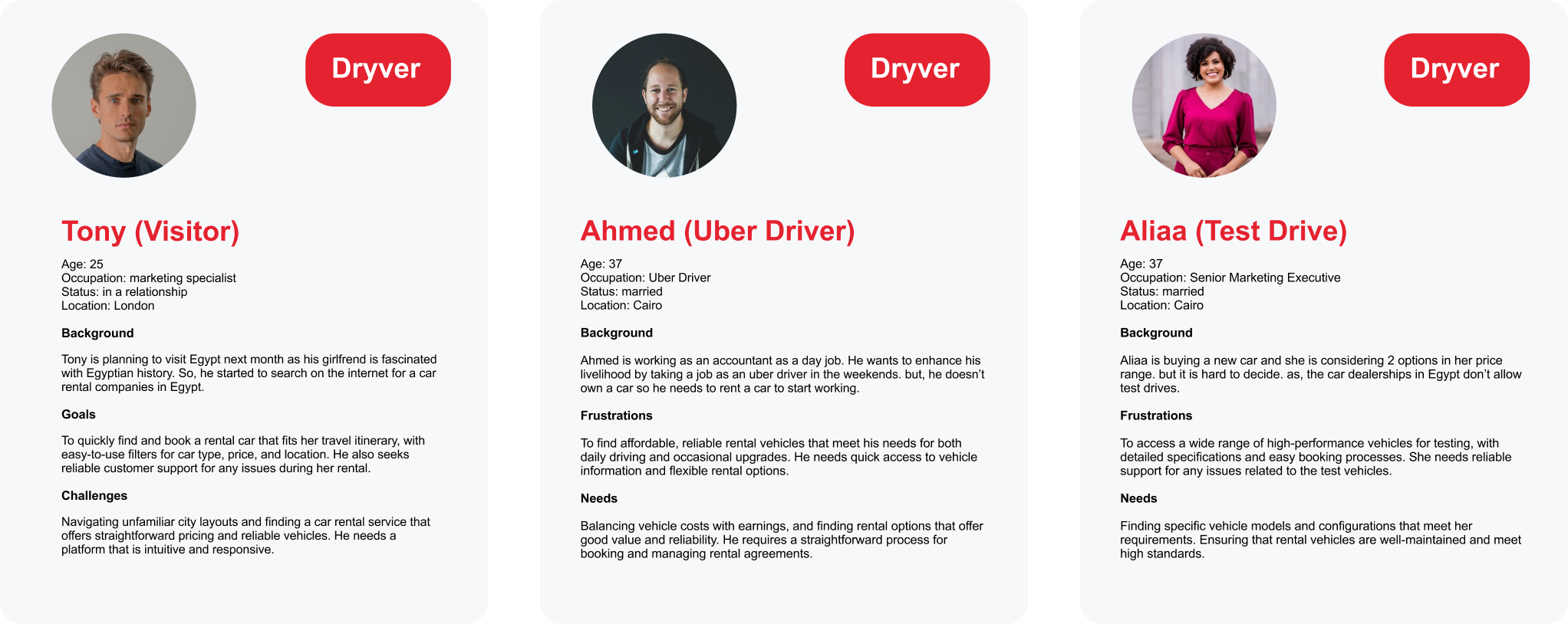
Fig. 2 — User personas
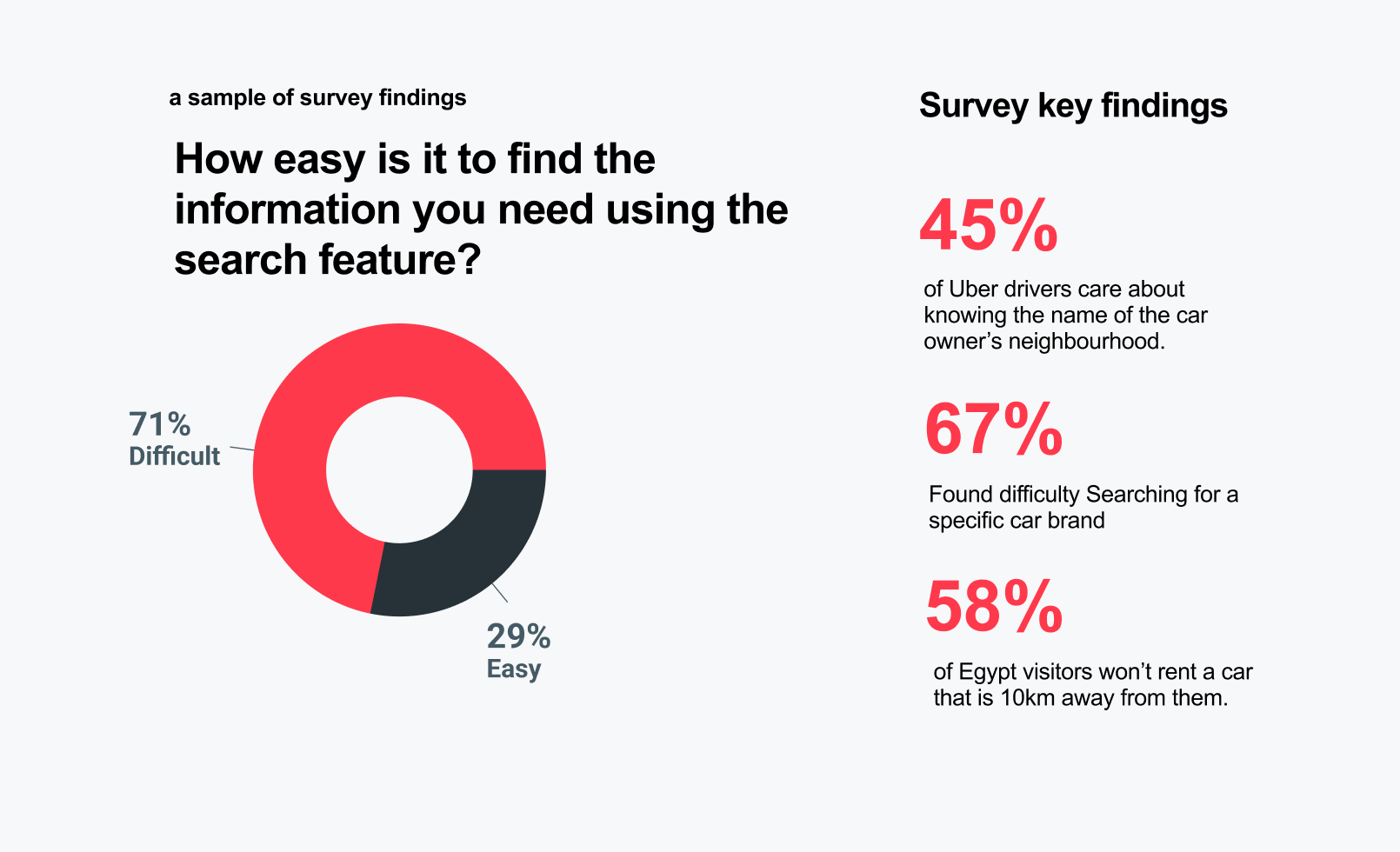
Fig. 3 — Research insights synthesis
Design
The redesign centred on three primary components: upfront location and time selection, enhanced filters and sorting, and a map view for location-based browsing.
Solution 1
Location & Time Selection
Upfront location and time selection with a city dropdown to avoid search algorithm confusion — users define their context before seeing results.
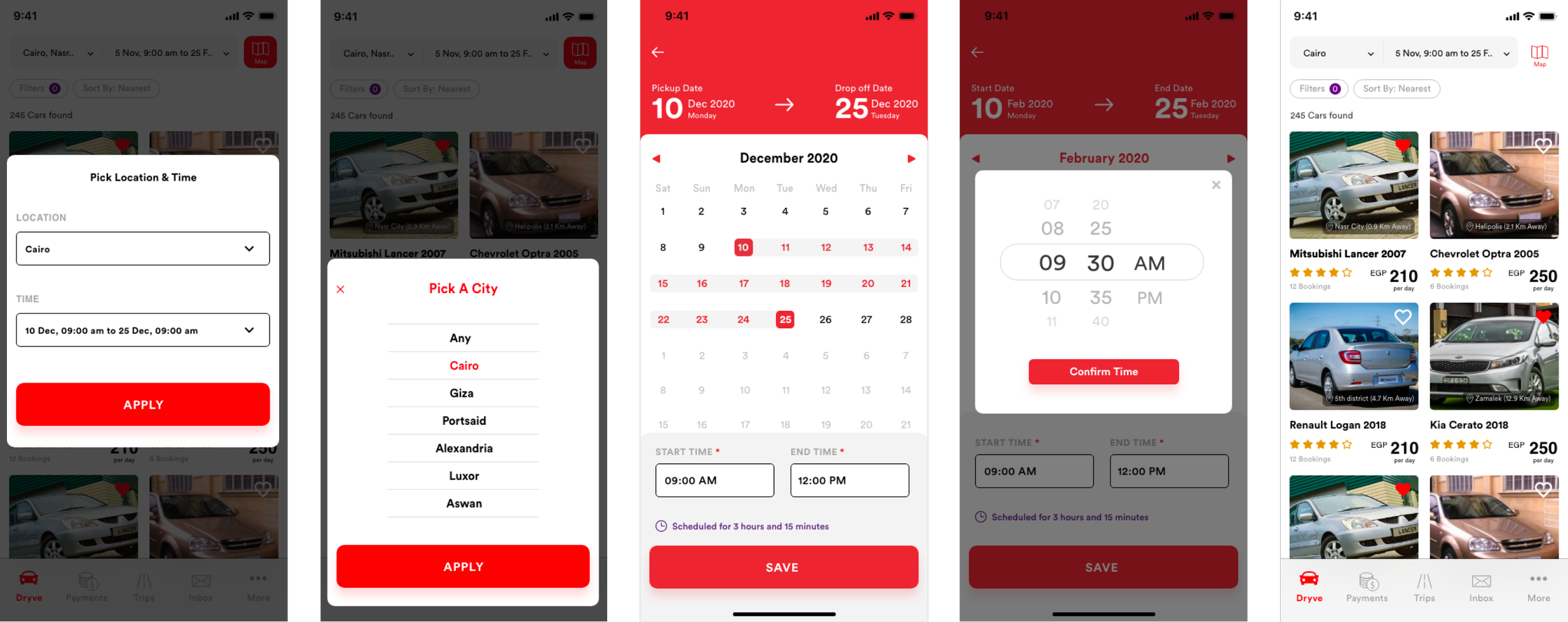
Fig. 4 — Location & time flow (high-fidelity)
Solution 2
Filters & Sorting
Enhanced filtering by price, distance, time, brand, transmission type, and rating — surfacing the controls users needed without requiring extra navigation.
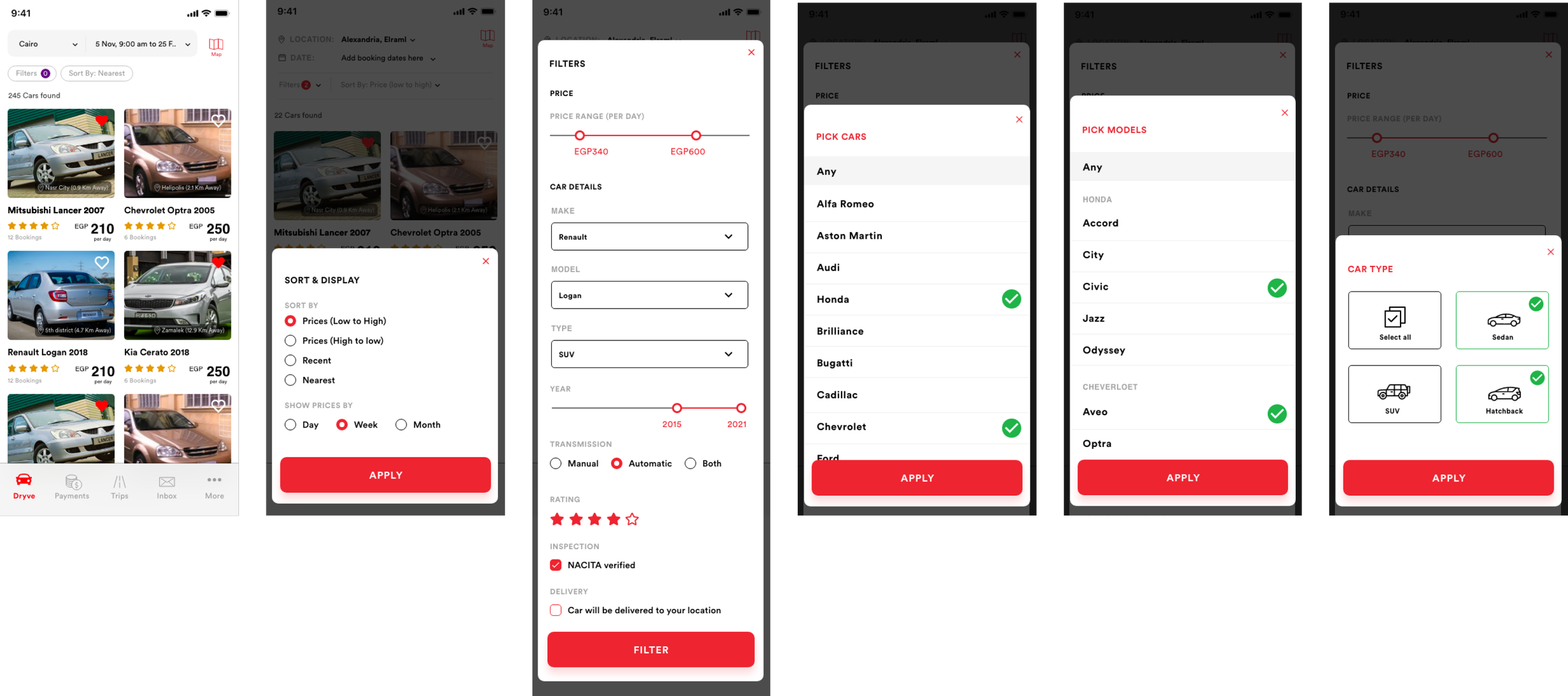
Fig. 5 — Filters & sorting design
Solution 3
Map View
Map view integration for location-based browsing, letting users see available vehicles in their area at a glance and select based on proximity.
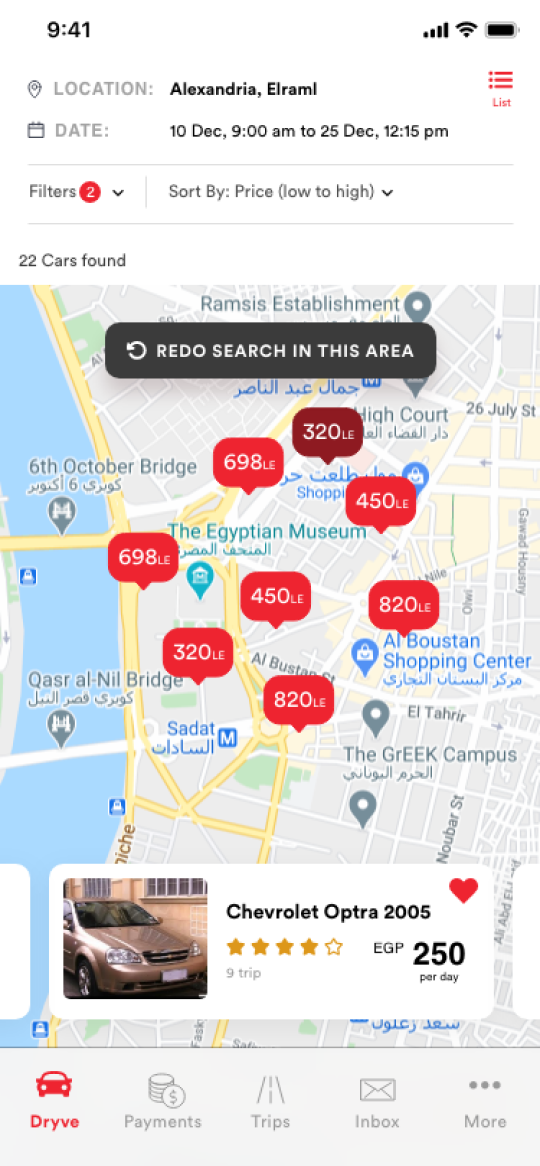
Fig. 6 — Map view
Outcome
Search conversion rate reached 26%, filter utilization reached 78%, and user satisfaction scored 3.8/5. The redesign was delivered on mobile iOS and Android in 35 days.
26%
Search conversion rate
78%
Filter utilization rate
3.8/5
User satisfaction score